
Customer records
The customer record your whole team can trust.
Their people, their places, their estimates, and every conversation, on one page that updates as the work happens.
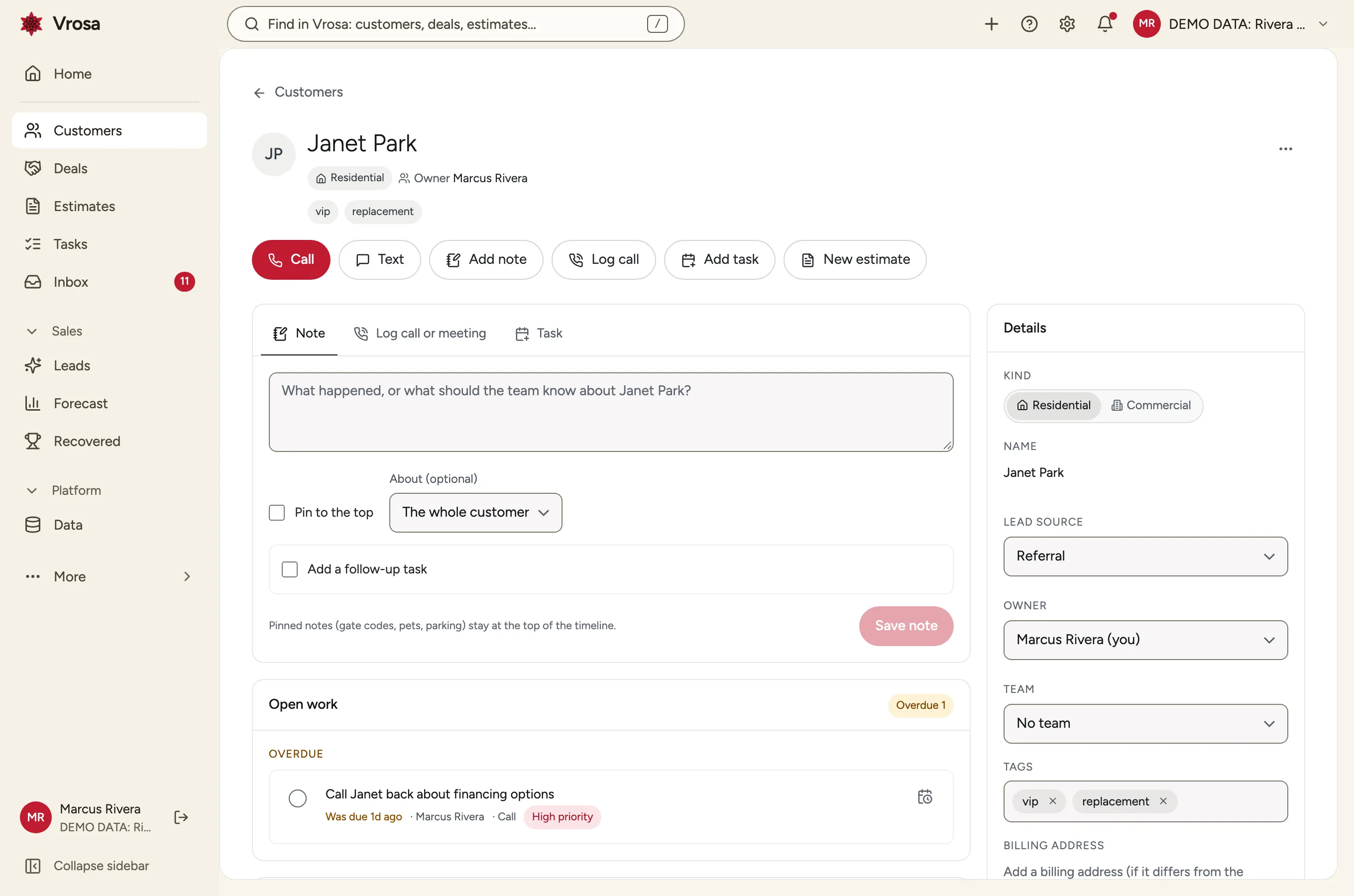
Open a customer and see the whole story
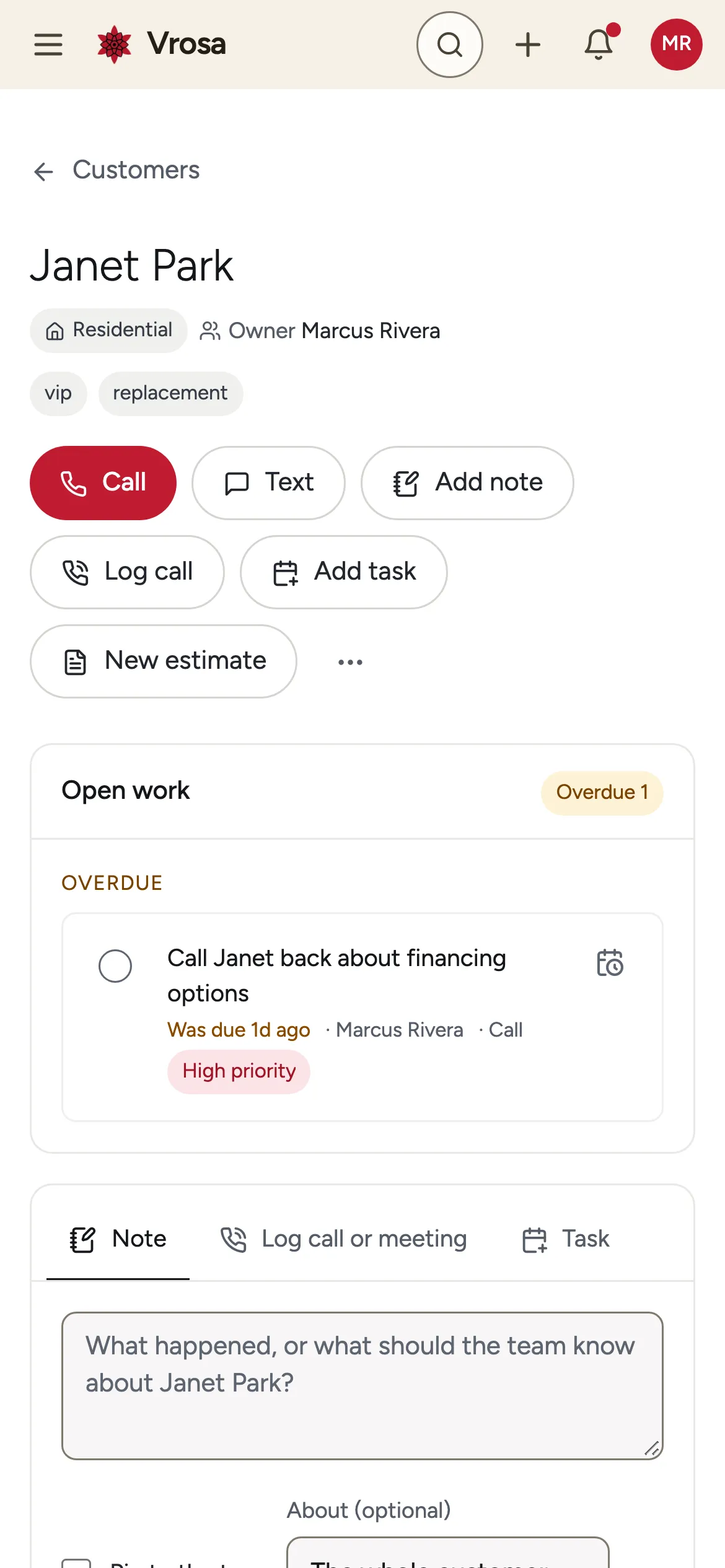
The record starts with who the customer is and who owns the relationship, then puts the next thing to do right under it. Calling, texting, adding a note, logging a call, adding a task and starting an estimate are one click away.
Everything else sits beside it: the details you can edit in place, the people and places connected to this customer, the lists they belong to, and possible duplicates worth a look.
- Actions at the top, not buried in menus
- Open work first, overdue items flagged
- People, places and lists in side cards
- Edit details in place
Everything on one page
No jumping between tools to find out what happened last.
Overdue and upcoming tasks sit directly under the actions, so the next step is the first thing anyone sees.
Open work comes first
Overdue and upcoming tasks sit directly under the actions, so the next step is the first thing anyone sees.
A timeline that tells the story
Notes, calls, tasks, messages, estimates and changes appear in one timeline you can filter by type. Add a note or log a call without leaving the page.
What pinning is for
- Gate codes and entry instructions
- Pets and parking
- Anything the next person needs before they knock
Pinned notes for the things nobody should have to ask twice
Pin gate codes, parking notes and pets to the top of the timeline so the whole team sees them first.
People and places side by side
A customer can have several people and several places, each with a role. Add a site contact for one address without changing who pays the bill.
See how the CRM models this
Contact details done right
A person can have a work phone, a mobile and two emails. Vrosa treats each one as its own destination.
Label each number or address, choose the primary one, and add as many as the person really has. The customer list shows the primary with a quiet count of the rest.
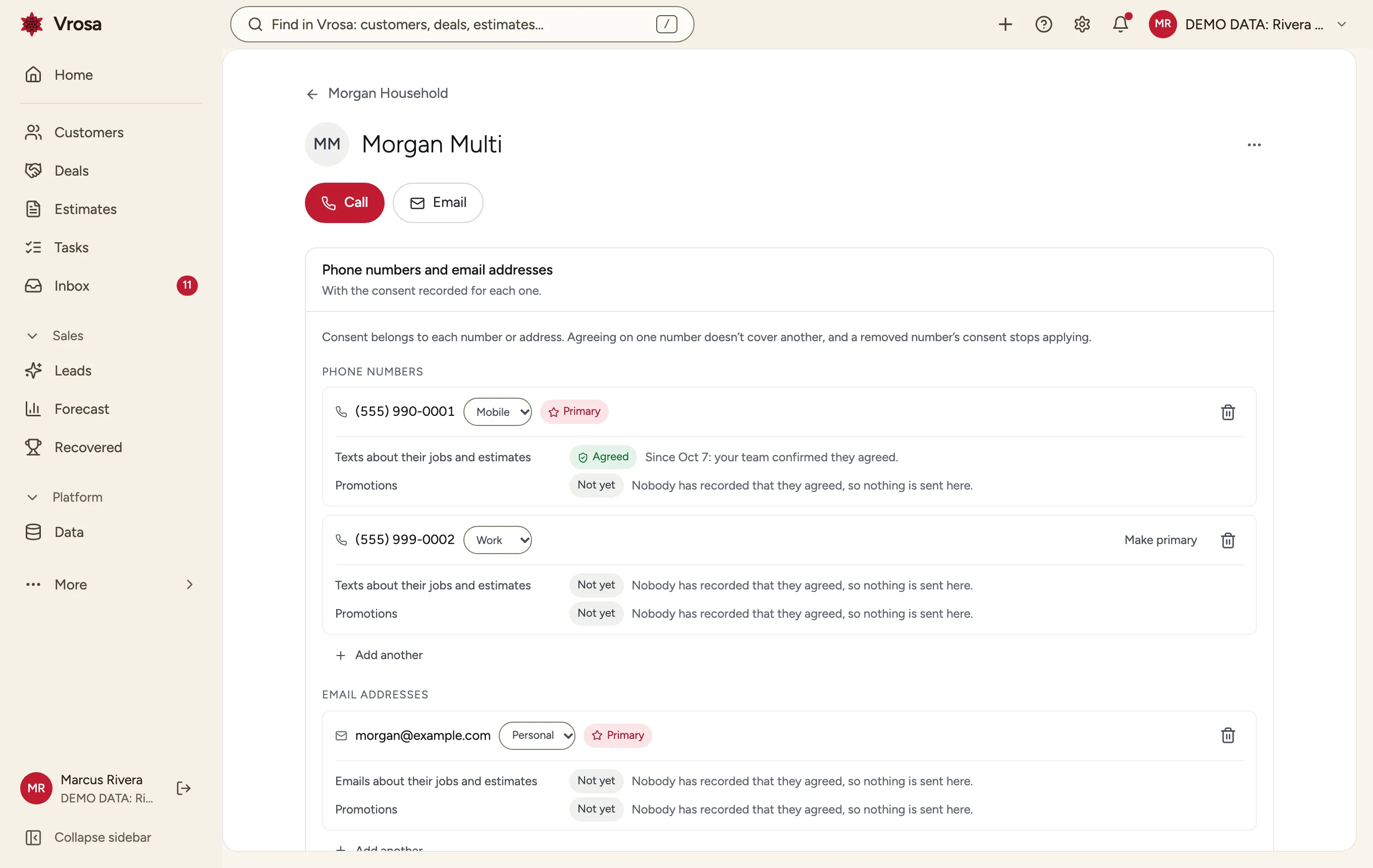
Several numbers and emails per person
Label each number or address, choose the primary one, and add as many as the person really has. The customer list shows the primary with a quiet count of the rest.
Consent for each number
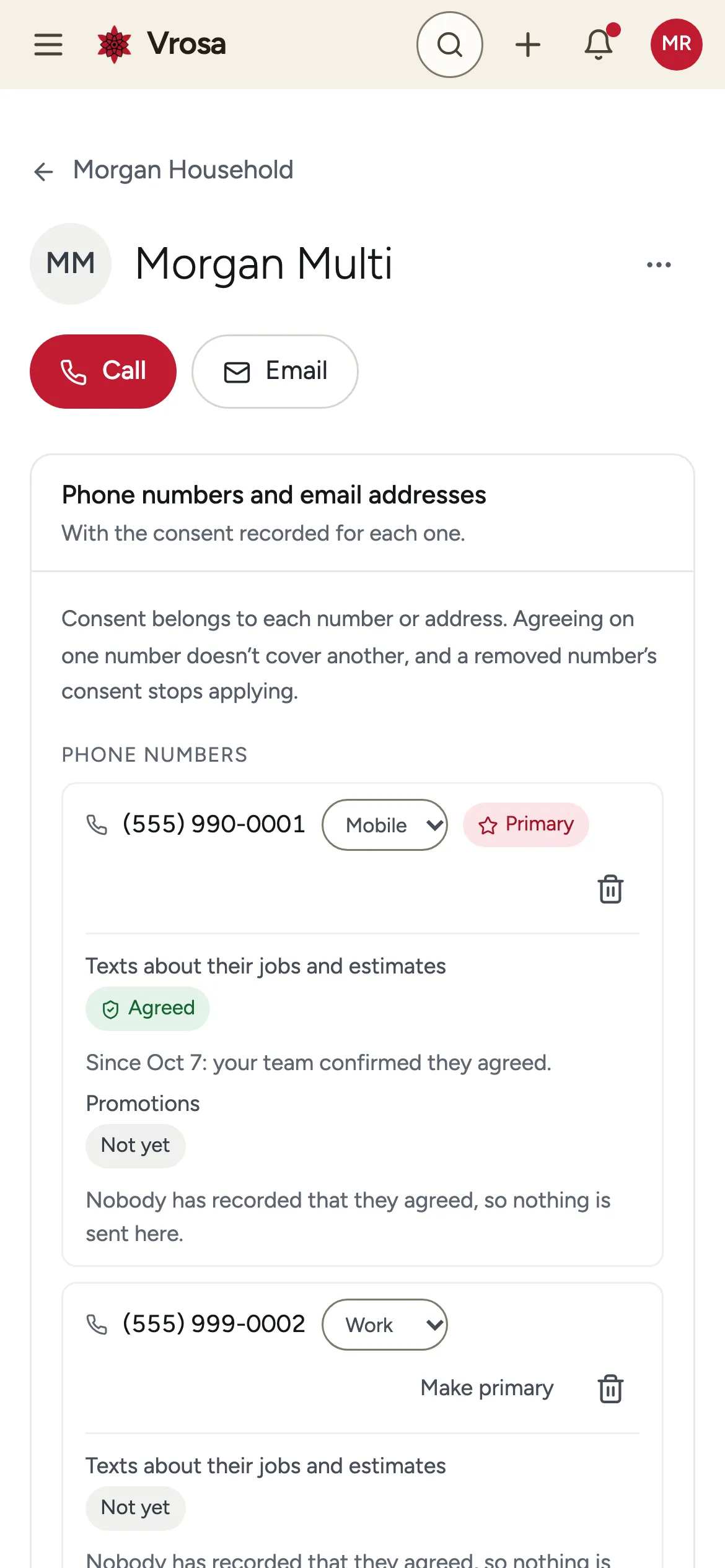
Agreeing on one number does not cover another. Vrosa records consent against the exact phone number or email, shows it in plain words, and stops applying it when that number is removed.
Made for the phone, too
The same record works on a phone, with tap-to-call, the actions you use most and the details collapsed into sections that are easy to reach with a thumb.
Trust and control
A record people rely on needs to be correct, explainable and respectful.
See who changed which field, and when, for customers and the records connected to them.
What the history shows
- The field that changed
- The old and new value
- Who changed it, and how
What the history shows
- The field that changed
- The old and new value
- Who changed it, and how
A change history you can read
See who changed which field, and when, for customers and the records connected to them.
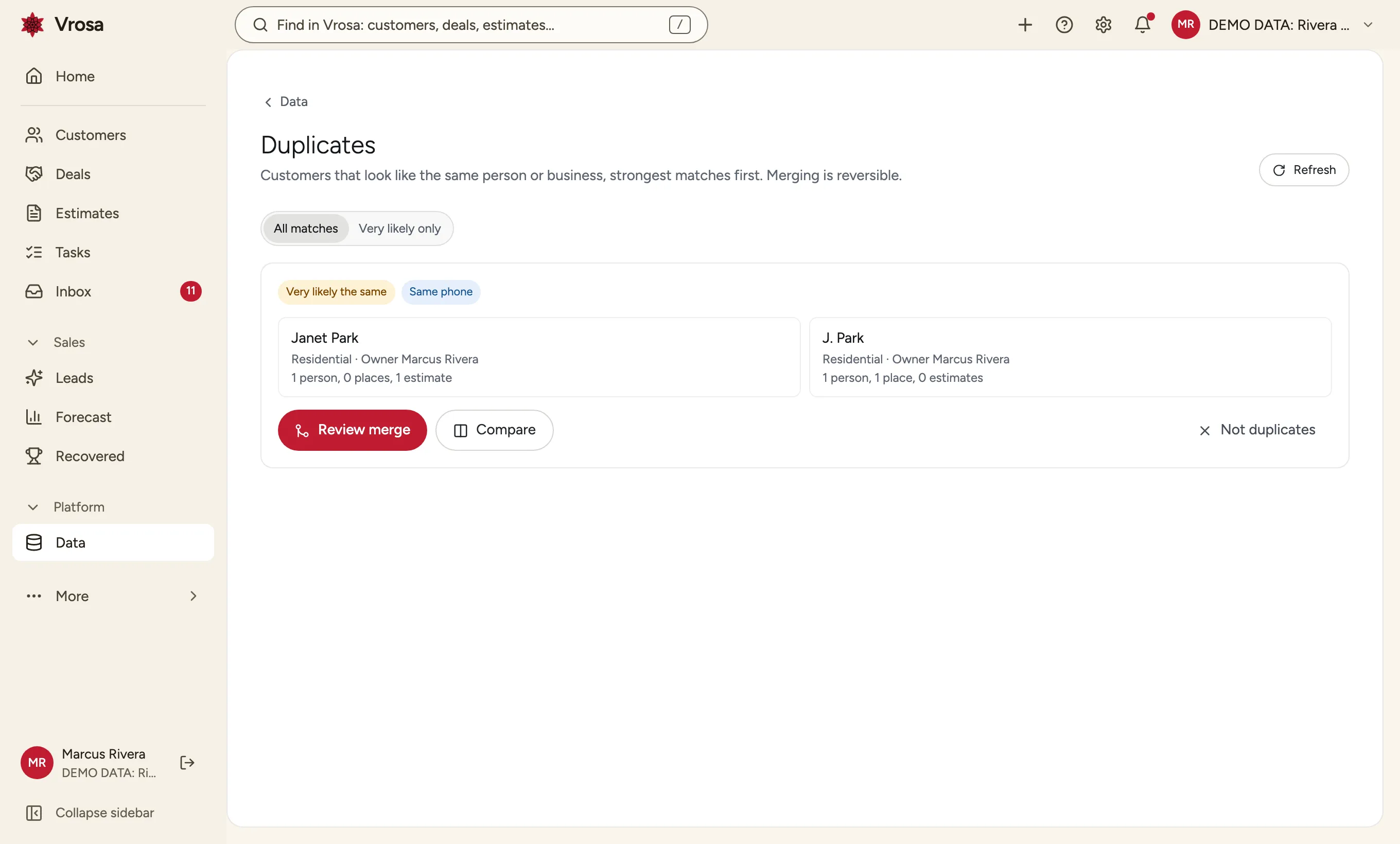
Merge duplicates, and undo it if needed
Combine two records into one, choose which details win, and see exactly what moved. A merge can be reversed later.
What you see before you confirm
- What would be erased
- What stays, such as amounts and dates, and why
- A reason and a typed confirmation
Privacy tools you can preview
Before erasing a customer's or person's personal data, Vrosa shows what would be erased, what would stay and why. If someone has opted out of messages, that choice is remembered without keeping their number.
See a customer record in action
We will open a record with example data and show you how your team would use it.
On a phone, a customer is one tap away
The same record, designed to be read and used on a small screen.
Tap to call
Call the primary number straight from the record.
Sections that collapse
Details, people and places stay out of the way until you need them.
Same data everywhere
What you change on a phone is what the office sees.
Part of one connected platform
Every area of Vrosa builds on the same customer record.
Questions
What is the difference between a customer, a person and a place?
A customer is the account: a household or a business. People are the humans you talk to, and places are the addresses you serve. They are linked, so one customer can have several people and several places.
Why does consent belong to a number and not to a person?
Because agreeing to texts on one number says nothing about another. Tracking consent for each number and email keeps messages going only where someone agreed.
Can the record be used on a phone?
Yes. Customer records, people and estimates have layouts built for phone screens.
Can I see who changed a customer?
Yes. Each customer has a change history showing the field, the old and new values, and who made the change.
Can I see it?
Vrosa is shown through guided demos with example data. Customer messaging runs in demo mode.